
Vendispace product and features
Individual price lists in B2B: per-customer pricing without spreadsheets

You set per-customer prices without spreadsheets on three levels: a discount on a product group, rules for a customer group and a negotiated price on a single product, and the system resolves them in the same order every time. In B2B sales almost nobody pays the catalogue price: one customer gets −10% across all coffee because they buy by the pallet, another watches a specific amount on one product, a third runs on the base price list. The trouble begins when those agreements live in a spreadsheet, an email and a sales rep's head instead of in the system that prices the order.
Why a spreadsheet stops being enough
An individual price list is a set of pricing rules assigned to a customer or a customer group that replaces the catalogue price for them. A spreadsheet holding those agreements works while you have a dozen customers and a few dozen products. After that the hidden costs start:
- A customer asks for a price — the rep has to look it up instead of pointing them at the shop.
- A catalogue price increase — someone has to walk through every individual agreement and check which ones no longer make sense.
- Staff turnover — arrangements made two years ago are known only to the person who made them.
- A mistake on an order — someone charges the catalogue price to a customer with a negotiated one, and the invoice has to be corrected.
They share one cause: the spreadsheet takes no part in pricing the order. The price the customer sees in the basket is produced somewhere else, so every discrepancy only shows up on the invoice.
Three levels that are enough in practice
Instead of a price per customer per product (a matrix nobody will maintain), three levels do the job, from the broadest to the most specific.
1. A product price group
You group the catalogue the way you actually think about it: "whole bean coffee", "accessories", "new arrivals". Then you give a percentage discount to the whole group at once. A new product joins the group and inherits every agreement automatically, with no price lists to edit. A product belongs to at most one price group, so there is never a question of which of two group discounts applies.
2. A customer group
The same mechanism on the other side. Wholesale customers get one set of rules, retail chains another, and new customers the base prices. You set nothing per company until you have to. A new customer lands automatically in the default "All customers" group, so a rule set on it works as a company-wide price list for everyone you don't move to another group.
3. A negotiated price on a product
Only at the end comes what genuinely needs individual treatment: a specific net amount or percentage on a specific product for a specific customer. There are usually a handful of those, not hundreds. A fixed amount works on a product but not on a whole price group, because one price for different goods would make no sense.
An order of precedence that has to be unambiguous
When levels overlap, the system has to resolve them the same way every time, otherwise you are back to guessing. In vendispace the first matching rule from this list wins:
| Order | Rule | What it means |
|---|---|---|
| 1 | customer price list, rule on a product | an individually negotiated item beats everything |
| 2 | customer group price list, rule on a product | a product price for the whole group, e.g. wholesale |
| 3 | customer price list, rule on a price group | the customer's discount on part of the catalogue |
| 4 | customer group price list, rule on a price group | the group's discount on part of the catalogue |
| — | no rule | catalogue or promotional price, minus the customer's general discount |
Two things follow from the table that are worth knowing before your first conversation with a customer. First, a rule on a product beats a rule on a price group, even when the former comes from the customer group and the latter from the customer's own price list. Second, an individual price list replaces the catalogue price, the promotion and the customer's general discount rather than adding up with them.
Quantity breaks still apply and are calculated from the price-list price. An example from the system documentation: catalogue price 100, promotion 90, customer discount 10%, individual price 80 and a −5% break from 10 pieces. The customer pays 80 for one piece and 76 each for ten, because the break is taken off 80 and neither the promotion nor the customer discount plays a part. The exception is a break set in override mode, which by definition overrides everything, including the individual price.
An individual price list is worth exactly as much as the trust people put in it. If a sales rep has to check whether the system got it right, they might as well calculate it themselves.
The preview that ends the argument
The most underrated part of such a mechanism is being able to see the whole catalogue through one customer's eyes: the catalogue price next to the price this customer will actually see, and an explanation of where that price comes from — individual arrangements, a price group discount, a promotion, or simply the base price list. You open the preview on a customer's or customer group's record, filter by category, price group and price source, and export the whole thing to CSV.
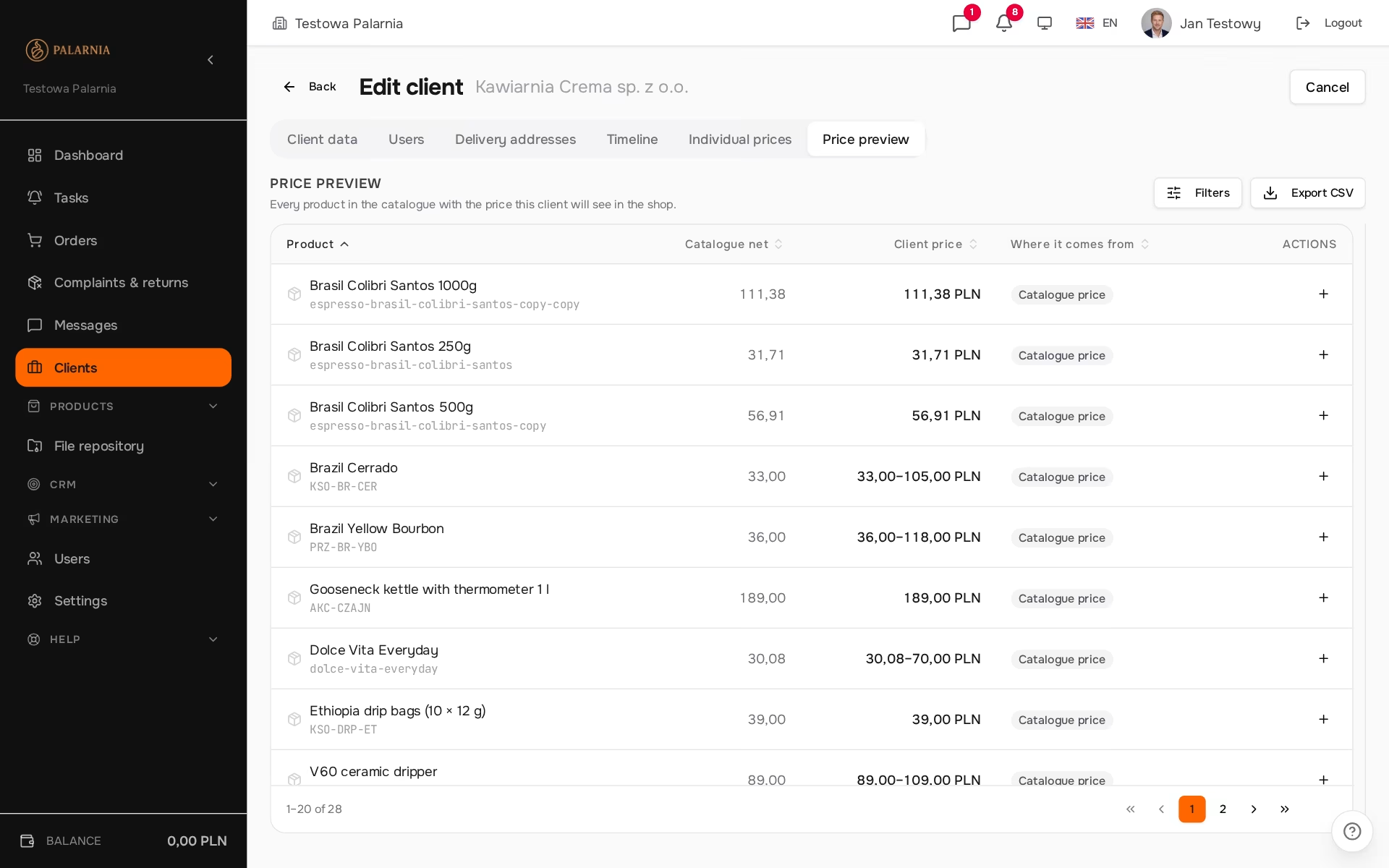
That turns "why is my price this?" from an investigation into a single glance at a screen. It also surfaces, immediately, the cases where a percentage discount works out worse than the current promotion, because a price-list percentage is taken off the catalogue price, not the promotional one. The preview flags those rows with a warning, so you can decide whether that is intended.
The customer sees their own prices
Once the arrangements sit in the system rather than a spreadsheet, the shop shows the buyer their prices straight away — in the catalogue, in the basket and on the order summary, and on the product list and product page the catalogue price appears crossed out next to theirs. The sales rep stops being a middleman for quoting prices and gets back to selling. That is the whole idea behind a closed shop on invitations: the customer walks into their catalogue, not a shared display.
Each line of a placed order records where its price came from: the catalogue, a promotion, a product rule or a price group rule. When someone asks about a specific invoice six months later, the answer is in the order, not in a sales rep's memory.
A B2B buyer compares amounts in net terms, so net is the headline figure in an individual price list too; fixed prices are entered as net amounts.
Limits of the mechanism
An individual price list has a few limitations that are better known before rollout than after a complaint:
- Price sorting and the price filter in the shop work on the catalogue price. A customer with a price list may see a "cheapest first" order that doesn't match the amounts shown to them.
- A fixed price doesn't work on products whose variants have different prices. One amount would flatten every variant, so the system rejects such an entry; a percentage rule remains.
- Additional services on an order don't use the individual price list, only the customer's general discount. The price list covers products only.
How to move your arrangements out of the spreadsheet
- Group your products. Start with the groups you actually discount; the rest can stay ungrouped.
- Group your customers and set group rules. Most arrangements in the spreadsheet usually turn out to be a rule for a whole segment rather than an exception.
- Enter per-customer exceptions. Only what can't be described by a group: single products and individual discounts on price groups.
- Check the preview for key customers. Compare the CSV export from the preview with the old spreadsheet row by row before the customer sees prices in the shop.
On paid plans you can also send us your price list and customer list in any format, and we will do the configuration and data import as part of onboarding; details are on the pricing page.
Summary
- Per-customer prices can be described with three levels: a product price group, a customer group and a price on a product.
- The price is decided by the first matching rule, and a rule on a product always beats a rule on a price group.
- An individual price list replaces the promotion and the general discount, but quantity breaks are still calculated from its price.
- The customer price preview shows the source of every price and warns when a promotion would be better for the customer.
Frequently asked questions
Can a customer see that their prices differ from other customers'?
A customer sees only their own prices and, on products covered by a price list, the crossed-out catalogue price. They never see other customers' prices, because everyone buys after logging in to their own account. So there is no need to maintain several versions of the catalogue.
What happens to the price list when catalogue prices go up?
Percentage rules recalculate on their own, because they are taken off the current catalogue price. Fixed net amounts stay as they are until you change them, so after a price increase it is worth reviewing the preview for customers who have them, filtering by price source.
Does changing a price list change orders already placed?
No. The price is calculated when the order is placed and saved on each line together with its source. A new rule applies to subsequent orders, while existing ones keep the amounts the customer agreed to.
Do discount codes work on individual price-list prices?
Yes. A discount code is calculated from the price the customer actually has in the basket, that is after the individual price list is applied. When setting a code's value, keep in mind that a customer with a low negotiated price will get the discount off a lower base.
Are individual price lists included in the free plan?
Yes. Product price groups, individual price lists and the customer price preview are in every plan, including the free FreeSpace. Plans differ by order limit, number of users and support, not by pricing features.
What happens to the rules when I delete a product or a price group?
Price-list rules tied to a deleted product, price group or customer group disappear with it, so no dead entries are left to distort pricing. Deleting a price group detaches its products but doesn't delete them; from then on their price comes from the remaining rules. Likewise, a customer's price list disappears when you detach that customer from your company.
An individual price list only works once customers log in to the shop; how to get them there is covered in the article on inviting your first customers to a B2B shop. Along with their prices, customers should get their own downloadable materials instead of PDFs sent by email. How customer prices carry over into calculators and industry tools is explained in the article on dedicated tools in B2B. Create a free account and move your arrangements out of the spreadsheet and into the place where the customer will see them.
Read also

Materials for B2B customers: price lists and product sheets without e-mail
Materials for B2B customers without e-mail: price lists and product sheets in a store repository, visibility per customer group, product images without copying.
Read article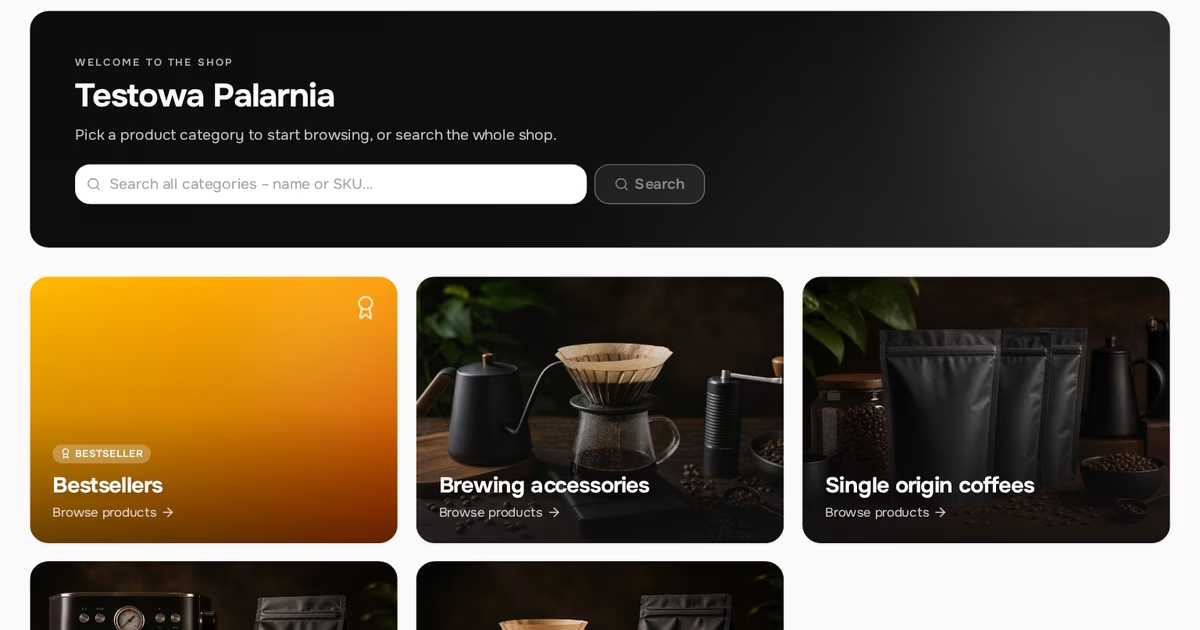
White-label in B2B: a store under your brand, not someone else's
White-label in B2B: a store under your own brand. What customers see in the store, in emails and on invoices, why your own SMTP matters and what doesn’t change.
Read article
Integrations in B2B: invoices, payments and shipping on one order
Integrations in B2B: an inFakt or Fakturownia invoice, a gateway payment and an InPost or Apaczka shipment from one order. What works and where to start.
Read articleStart selling B2B under your own brand.
Free FreeSpace account: add a product, invite a customer, take your first order. No card, no commitment.
Create a free accountHave a question? Write to us.