
PV mounting calculator: how panel rows become a bill of materials
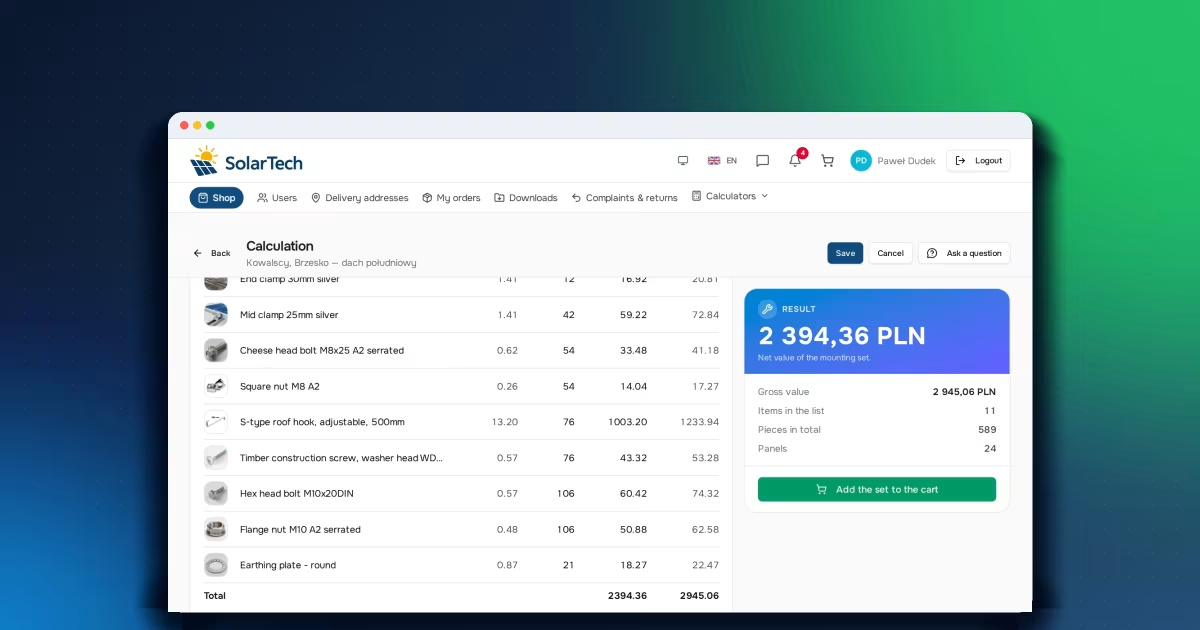
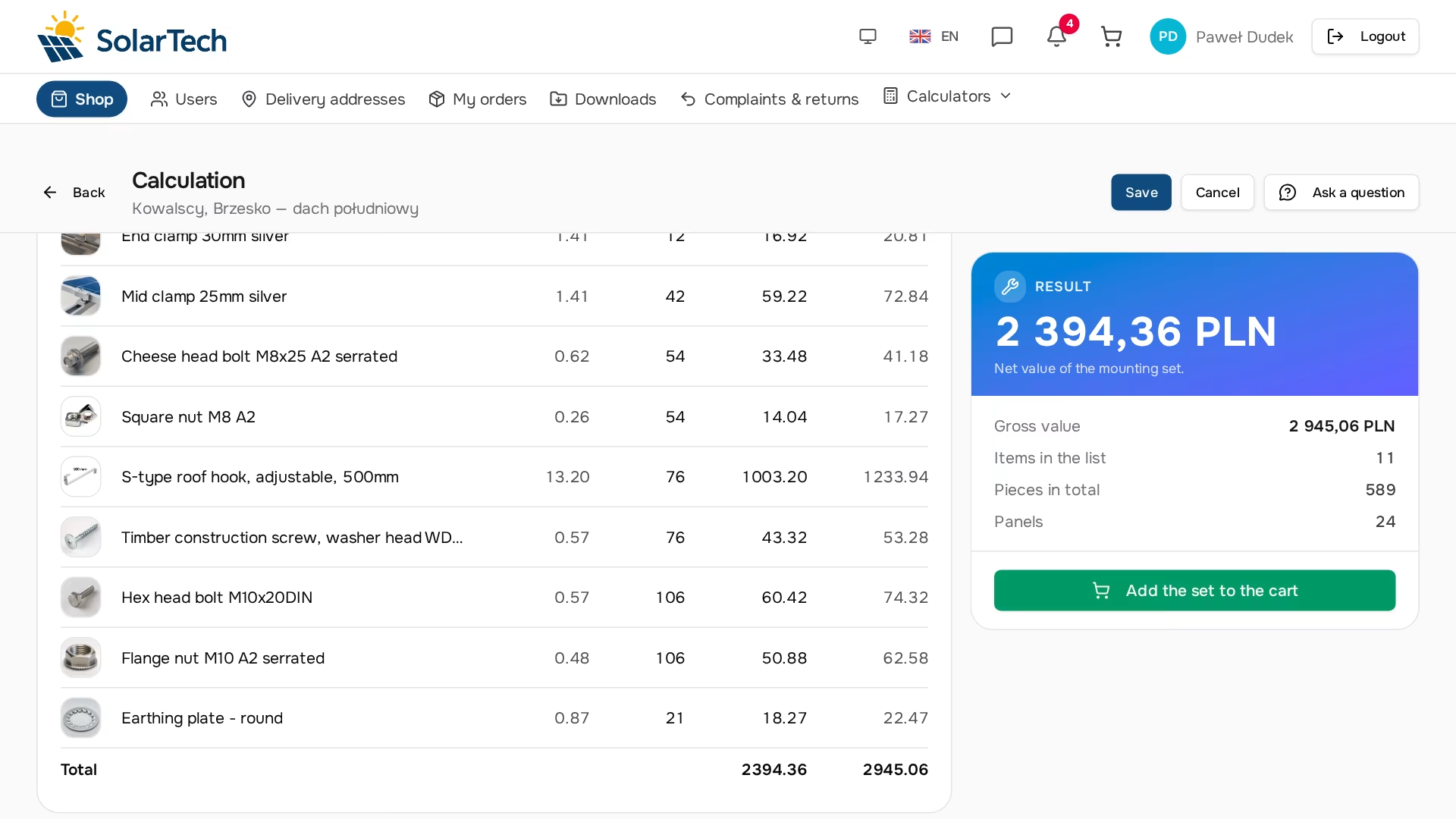
An installer calls with a question you hear every day in this industry: how much of everything do I need for a roof that will carry 24 panels? You can put together a complete list in a spreadsheet, but then someone has to retype it into the system, check this particular customer's prices and make sure nothing is out of stock. A PV mounting calculator does it in one pass, and the result is a ready-made cart. This article explains how it works; it is neither a user manual nor a recipe for building your own.
What is actually being calculated
This calculator does not size the installation or pick the number of modules — that is the job of the energy demand calculator. Nor does it assess roof load capacity or snow load; that stays with the designer. It answers one very specific sales question: which components, and how many of each, need to be shipped so that this many panels can go up on this roof, with this roof covering.
The question is dull, and that is exactly why it is expensive. Being two clamps short doesn't ruin the design — it ruins the schedule, because the crew is standing on the roof waiting for the courier. An error the other way hurts later: the surplus sits in the installer's warehouse as cash frozen in small parts. Companies that sell mounting systems know that suppliers are judged here on the completeness of the list, and the price of a rail comes second.
Input: rows, not a panel count
The form has no "number of panels" field. It has a list of rows, and each row has an orientation and a number of modules. The panel count is the sum of the rows and appears in the section header as information, not as a field to fill in.
That follows from what the algorithm actually calculates. The mounting structure is driven by the geometry of the rows: it determines how many metres of rail are needed, how many connectors join the sections and how many hooks transfer the load to the roof. A separate "number of panels" field would let someone enter a value that contradicts the rows, and the result would no longer be the truth about that roof. That is why 24 panels in three rows is a completely different set of material from 24 panels in a single row running across half the roof.
Row orientation in the system uses site terms, not geometric ones: portrait means a standing panel, landscape means a lying panel. The earlier "vertical/horizontal" wording got confused with the roof pitch and kept coming back as questions to the sales rep, so the naming followed the language of the installation crew.
Next to the row fields there is a drawing: each row drawn to scale, with the correct orientation and number of modules, all rows at the same scale relative to one another. The numbers alone don't show that "one row of thirty panels" won't fit on an eight-metre roof — the drawing shows it at once.
A panel is a catalog product, not a dictionary entry
The calculator needs the panel dimensions. It could have its own table of models, but then every new panel would have to be described twice — once in the store catalog and once in the calculator — and someone would have to keep both descriptions in sync.
Instead, the panel remains an ordinary company product. The category that holds the modules gets a "photovoltaic panels" tag, and with it a set of fields describing the module: dimensions, frame color and power. A product appears on the calculator's panel list once these are filled in.
As a bonus, when choosing a panel the installer sees its dimensions on the second line of the item description instead of copying them from the datasheet.
Where the result comes from
The calculator reproduces the way the structure is assembled on the roof. Panels in a row sit on rails, mid clamps go between adjacent modules, end clamps at the ends of the row, rails come in fixed commercial lengths and have to be joined, and the whole thing rests on hooks spaced along the row. Each of these components has its own count that follows from the same layout.
The harder part is what you don't see along the way. Rail offcuts are not rounded separately for each row — they carry over across the whole calculation, because that is what happens on site: the piece left over from one row goes onto the next. Hooks always come out as an even number, because they are fitted in pairs, one for each of the row's two rails. On top of that comes an allowance for cutting. These three things separate a calculated bill of materials from an estimated one, and they decide whether the crew runs short of anything.
The selection of hardware rests on the same basis: clamps, bolts, nuts, end caps and optional accessories. Each item follows from the chosen panel, the structure color and the installer's mounting preferences — and is picked from the company's catalog, not from any external list.
Why the kit is calculated in several variants
Mounting rails are sold in commercial lengths, and the same row works out differently on a shorter rail than on a longer one. The difference isn't just arithmetic: a longer rail means fewer joints, and so fewer connectors, but also a bigger offcut, and so more material thrown away. A shorter one is the other way round.
The calculator doesn't guess which length is better. It calculates the whole kit separately for every commercial length available in the chosen color and keeps the variant that comes out cheapest — at this customer's prices, not the catalog list price. Choosing the rail stops being a decision you have to make before the calculation and becomes its result.
This is also one of the places where you can see why the calculator should live inside the sales system rather than next to it. The "cheapest" variant depends on the price list — and the price list depends on who is calculating. An installer with a discount may get a different recommendation from a customer buying at base prices. A spreadsheet doesn't know that, because it has no access to individual price lists.
The roof covering decides the fixing — and only that
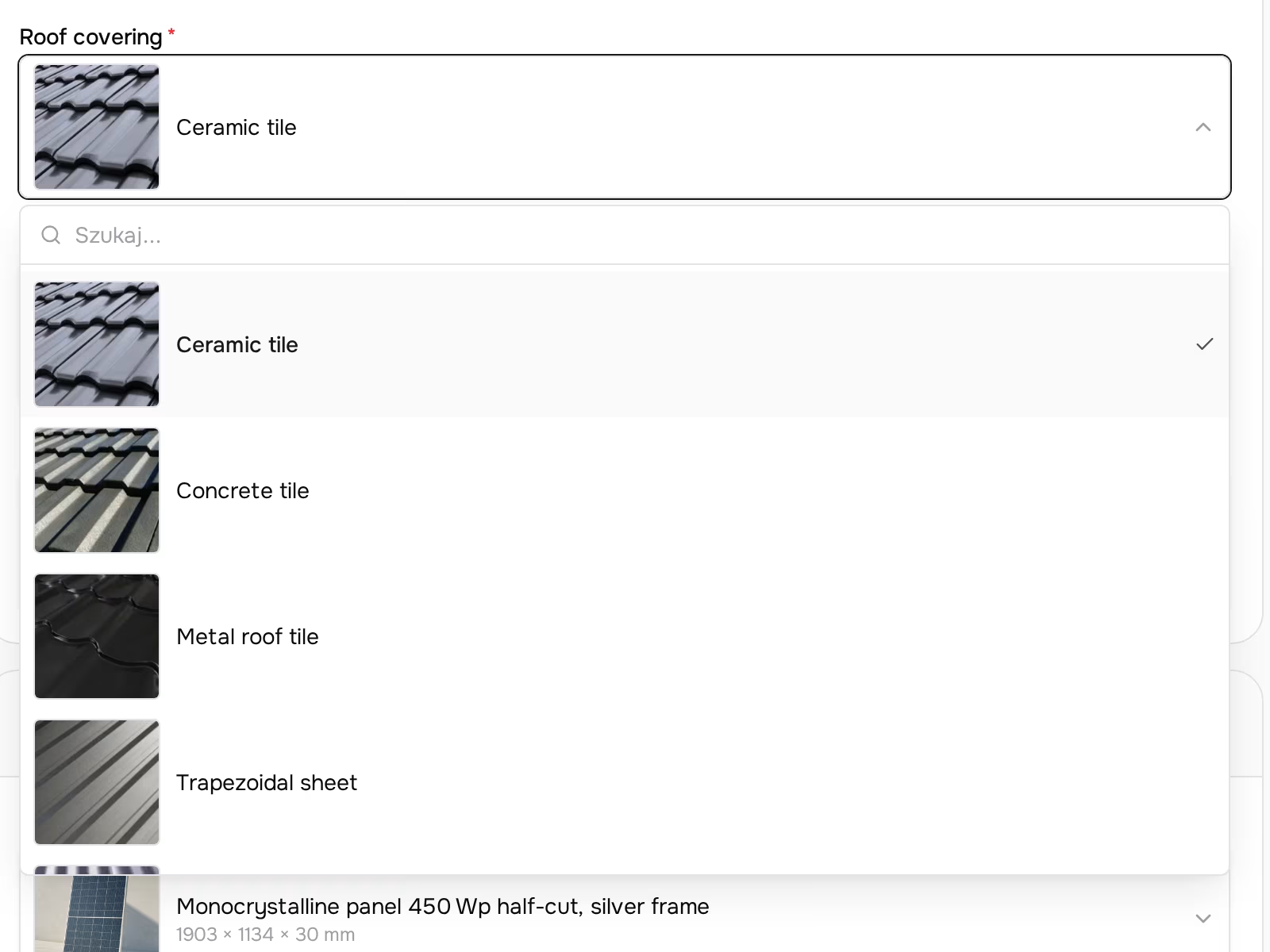
Rail hardware is almost independent of the roof. Fixing to the roof is the opposite: it depends solely on the covering, and the covering decides which form fields appear at all. Supported coverings are ceramic and concrete tile, plain tile, metal roof tile, trapezoidal sheet, corrugated sheet and standing seam, plus roofing felt and shingle. For some of them the installer also chooses the fixing family — on tiles a roof hook or a rafter bracket, on felt a hanger bolt or a shingle bracket — because that is an installation decision, not a calculation.
The most interesting case is trapezoidal sheet. There the panels go directly onto mini rails, so there are no rails or connectors in the bill of materials at all. This isn't an exception bolted on at the side — the list looks completely different from the one for tiles. In the list of saved calculations it shows up as something that at first glance looks like a mistake: a 40-panel hall on trapezoidal sheet comes out cheaper than a 24-panel house on ceramic tile. The roof covering is responsible, and the number of panels says far less about the cost of the structure than you'd think.
Two coverings without a calculation — on purpose
Sandwich panels and insulated felt roofs are on the list of coverings, but the calculator returns no bill of materials for them. That is a decision, not a gap in the implementation: the fixing method on these coverings is set by the panel or roofing system manufacturer and depends on the core, the thickness and the warranty terms. Guessing the hardware would produce a list that looks credible and is at the same time wrong — and that is worse than no answer, because the customer has no reason to check it.
A calculator that answers every question stops being credible on the ones it really knows. It is better to admit the limit openly.
Where the components come from
Mounting components are not a separate entity in the system. They are ordinary company products — with their own SKU, price, VAT rate, photo and stock level — additionally described by a handful of technical parameters the algorithm uses to recognise them.
Thanks to that, the cart, order, invoice, shipment and quantity discounts work without any extra layer, and the calculator deals only with choosing items and quantities. A company that raises the price of a hook raises it in one place — on the product card — and from that moment every new calculation uses the new price.
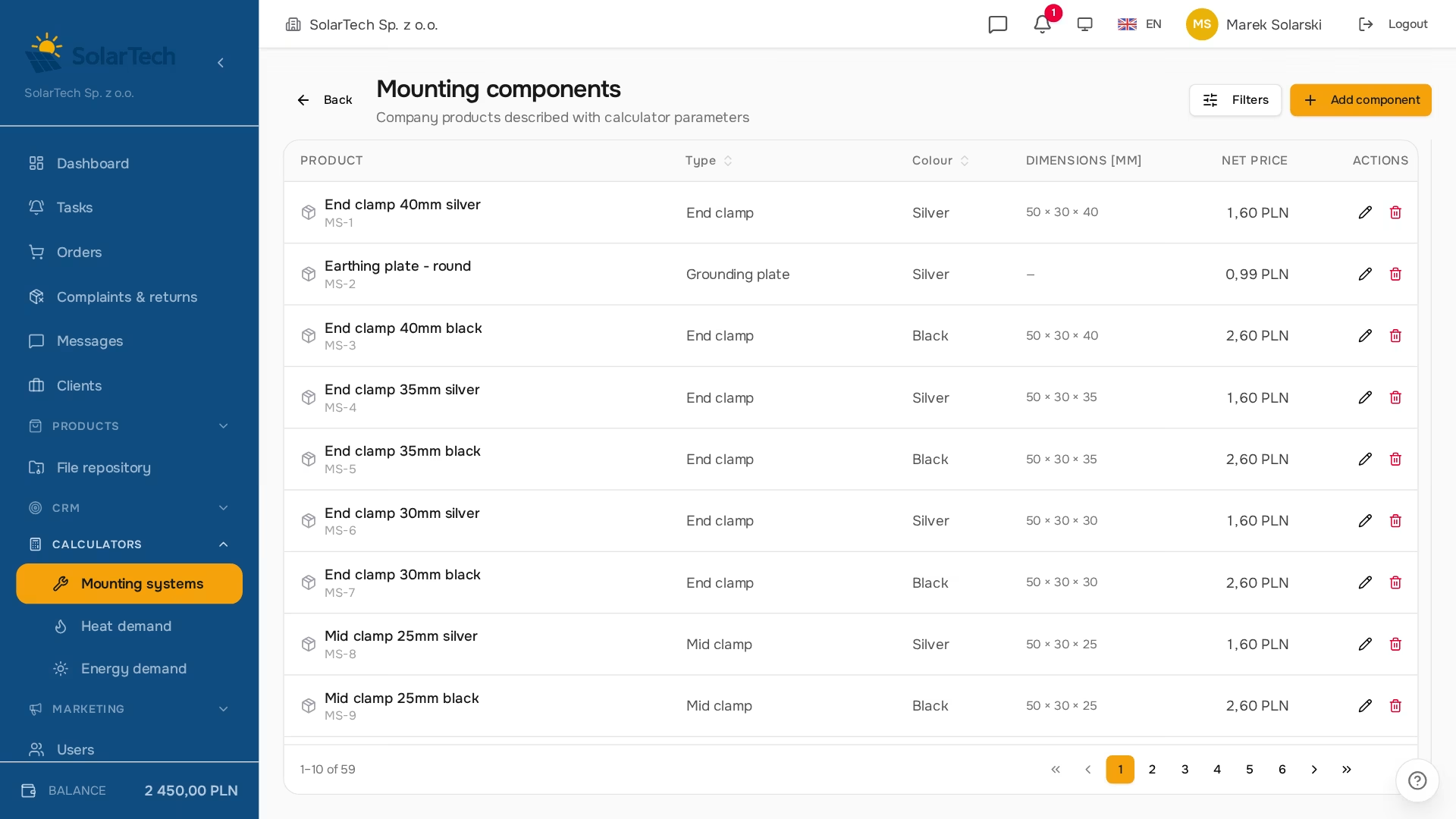
Getting the module started doesn't require typing in dozens of items by hand, either. The starter catalog goes in with a single command (or a button, if the company has no components yet) and is idempotent: a later run matches items by SKU and does not overwrite the prices the company has set. A photo is only added to a product that doesn't have one yet, so your own photos survive a re-import.
Prices: the same mechanism as in the store
Pricing the kit has no pricing logic of its own. It goes through the same mechanism the store uses to calculate prices in the catalog and the cart — including the group price list, individual arrangements and quantity breaks. A calculation made for a specific customer shows their prices, not catalog ones. VAT comes from the product record, never from a fixed rate hard-coded into the calculator.
That sounds like a technical detail, but it is a condition for trusting the tool. If the calculator had a second price list, sooner or later it would drift away from the first — and then the sales rep would have to check every calculation, and might as well do the math themselves. The figures on the result card are the same figures the customer will see in the cart, because they come from the same source. A B2B buyer reads the net amount first anyway, and that is the main figure on the result card.
Along the way, the list shows things a spreadsheet won't: each item has a product photo thumbnail, the name links to its product card, and if the company tracks stock and something is missing, the row is struck through and marked "out of stock". The installer finds out before moving the kit to the cart, not at checkout.
What the customer won't see
The breakdown of the calculation into its components is saved with every calculation, but it is shown neither to the store's customer nor to the company serving them. That is the calculator's know-how: the weights of individual parameters and the order in which they are applied.
This gate sits on the API side, not in the interface. If the "calculation details" section were merely hidden in the front end, the data would still travel in the server response and the browser console would be enough to read it. The response itself is trimmed, so the details aren't in it at all. The customer gets the result and the full bill of materials — everything they need to place an order — but not instructions for building the same calculator themselves.
From calculation to order
The biggest difference between this calculator and a selection spreadsheet only begins after the calculation. "Add kit to cart" moves all items as ordinary cart lines — with quantities, this customer's prices and VAT rates — and from there the order follows the same path as any other: number, statuses, invoice, payment (including deferred payment terms) and a shipment with a tracking number.
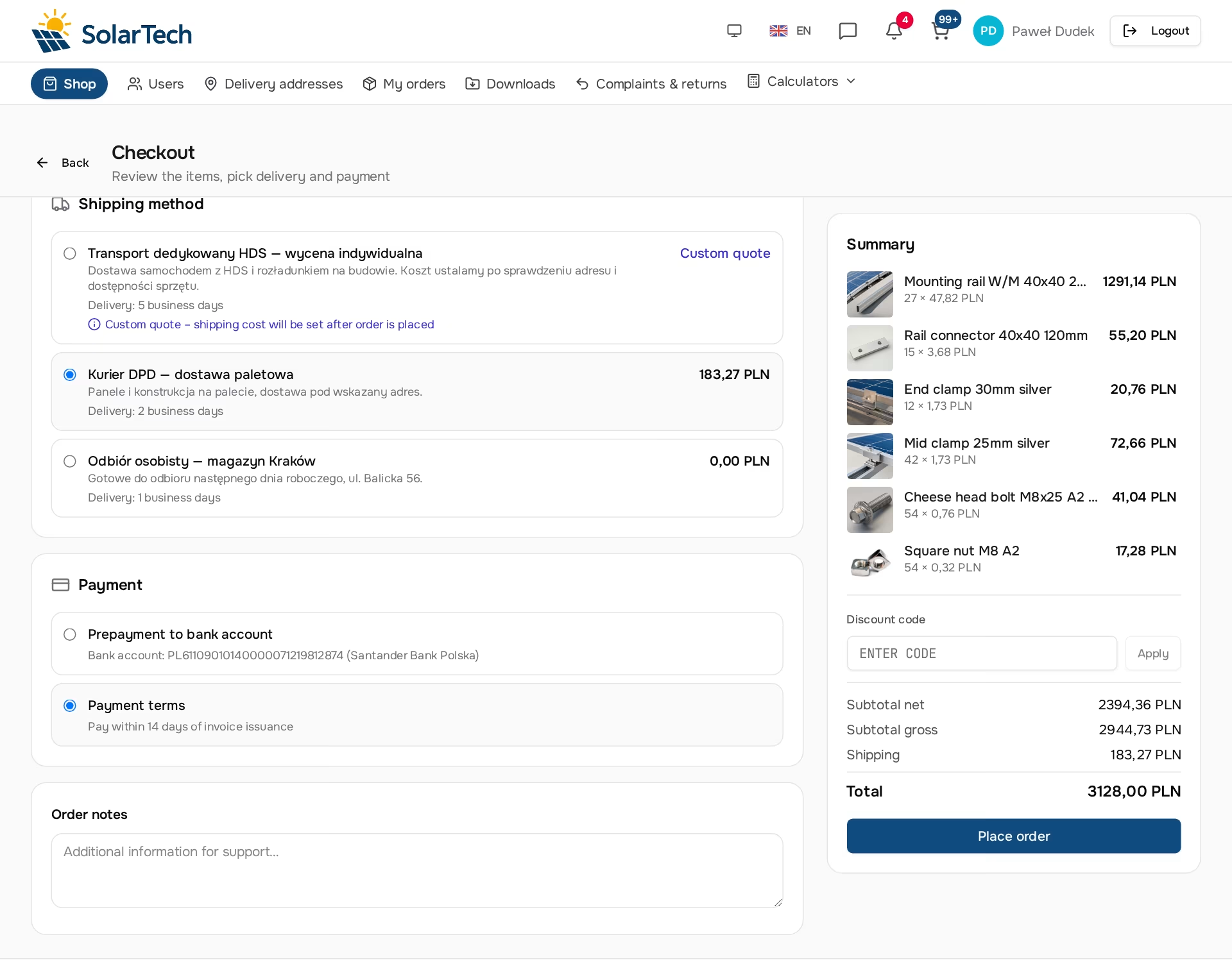
The net value of the order matches the value on the result card to the penny, because nothing is retyped along the way. No one moves items by hand, so there is no point where one nut in a hundred could go missing.
Calculations are also saved. The customer has their own list in the store: a click loads a calculation into the form, the next save overwrites the same record, and "New calculation" starts from scratch. They come back a week later, adjust one row and order. The company sees all its customers' calculations in the panel — the same data, the same result. You can also ask a question about a saved calculation: a chat thread is pinned to the specific record, so the "why are there so many hooks here" conversation happens next to the numbers rather than in a separate e-mail with no context.
What you need to prepare on your side
The algorithm and reference data are on our side and require no configuration from the company. Three things remain on the company's side, all in an area it controls anyway:
- The components catalog — goes in with one command, photos included; the company sets the prices and later updates don't touch them.
- Tagging the panels — the module category gets a tag, the products get dimensions. Without that, the calculator doesn't know the geometry and has nothing to calculate from.
- Prices and price groups — exactly the same things that drive prices in the store. The calculator introduces no new concept here.
Everything else — the store under the company's brand, orders, documents, integrations — works regardless of whether the calculators are switched on. This is in fact a broader pattern we describe in the article on dedicated tools in B2B: an industry module only makes sense when it sits on a working sales platform, not instead of one. The bigger picture of the three renewable-energy calculators and how they plug into the store is on the renewable energy industry page.
Frequently asked questions
Does the calculator work on my catalog or on some reference one?
Only on yours. The mounting components are your company's products — with your prices, VAT, stock levels and photos. The module only adds the technical parameters the algorithm uses to recognise them. The starter catalog is a starting point, not a price list imposed from outside.
Why is there no "number of panels" field?
Because the structure follows from the geometry of the rows, not from the number of modules. A separate field would let someone enter a value that contradicts the rows, and the result would stop describing that particular roof. The sum of the rows is shown in the section header, and validation on the API side enforces consistency.
Where do the panel dimensions come from?
From the product record. The panel category has a tag that adds fields describing the module — dimensions, frame color and power. A product appears on the calculator's panel list once its dimensions are filled in; the power is used only by the energy calculator.
Why does the same roof sometimes come out more expensive, sometimes cheaper?
Most often because of the covering and the rail length. Trapezoidal sheet needs no rails or connectors, so it can come out cheaper than tiles even with more panels. The commercial rail length, in turn, changes the ratio of waste to the number of connectors — which is why the kit is calculated for every available length and the variant that is cheapest on this customer's price list is kept.
Why is the number of hooks always even?
Because hooks are fitted in pairs — one for each of the row's two rails. An odd number would be of no use on the roof, so the calculator doesn't return one.
What about sandwich panels and insulated felt roofs?
The calculator deliberately doesn't cover them. The fixing method there is set by the covering manufacturer and depends on the core, the thickness and the warranty terms. A "rough guess" list would look credible and be wrong, and the customer would have no reason to check it.
Will my customer see how you arrive at the result?
They'll see the result and the full bill of materials with quantities and prices. They won't see the breakdown of the calculation or the parameter weights — that data is trimmed on the API side, so it isn't even in the server response, let alone the interface.
Can a sales rep run a calculation on behalf of a customer?
Yes. In the company panel the same form calculates with the same algorithm, and the calculation is assigned to a specific customer — then the prices are that customer's prices. The panel has no cart, because the customer places the order; a calculation from the panel is a quote the customer loads on their side and moves to the cart.
How do you know the results are correct?
The calculator has a full set of regression tests: they cover every roof covering, the even number of hooks and the optional accessories. They run on every change to the algorithm, so a fix in one variant won't quietly shift the bill of materials in another.
If you sell mounting systems and want to stop calculating them in a spreadsheet, the next step is the two other calculators: heat demand and energy demand. Create a free account and get in touch — we switch on industry modules with a toggle on our side.
Read also
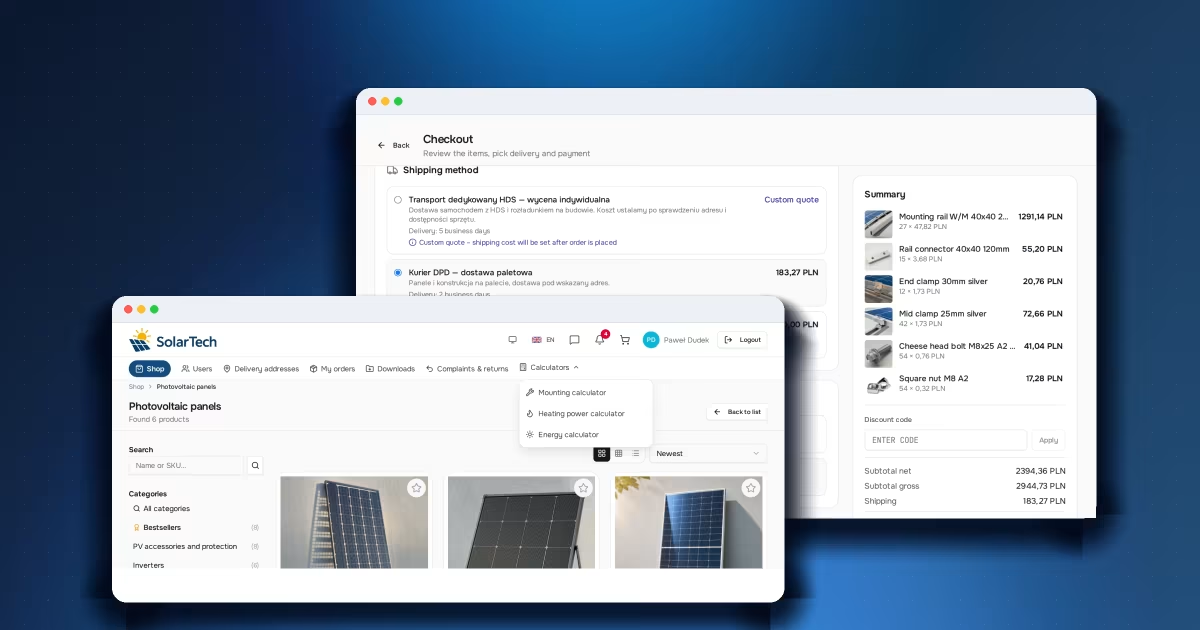
Dedicated tools in B2B: an edge a price list can't copy
Calculator, configurator, selection sheet. Why an industry tool in a B2B store wins the customer earlier than price does — and keeps them coming back.
Read article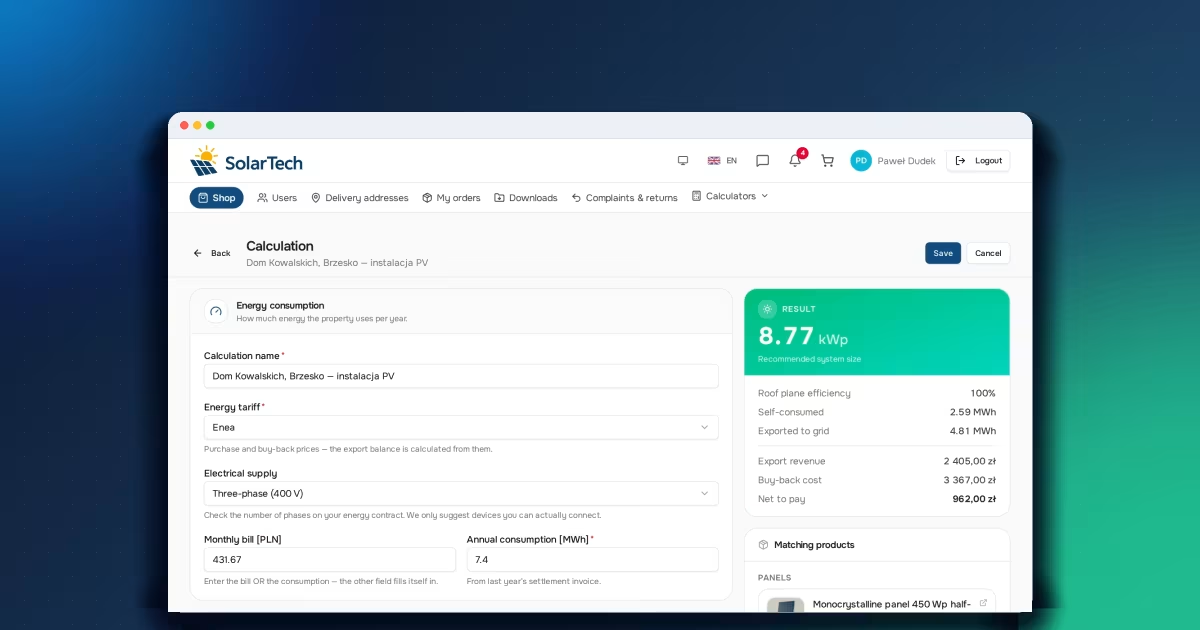
PV system size calculator: how an electricity bill becomes 8.77 kWp
The bill, roof efficiency, the balance of energy exported to the grid. Where a PV system's target size comes from and why it's higher than it seems.
Read article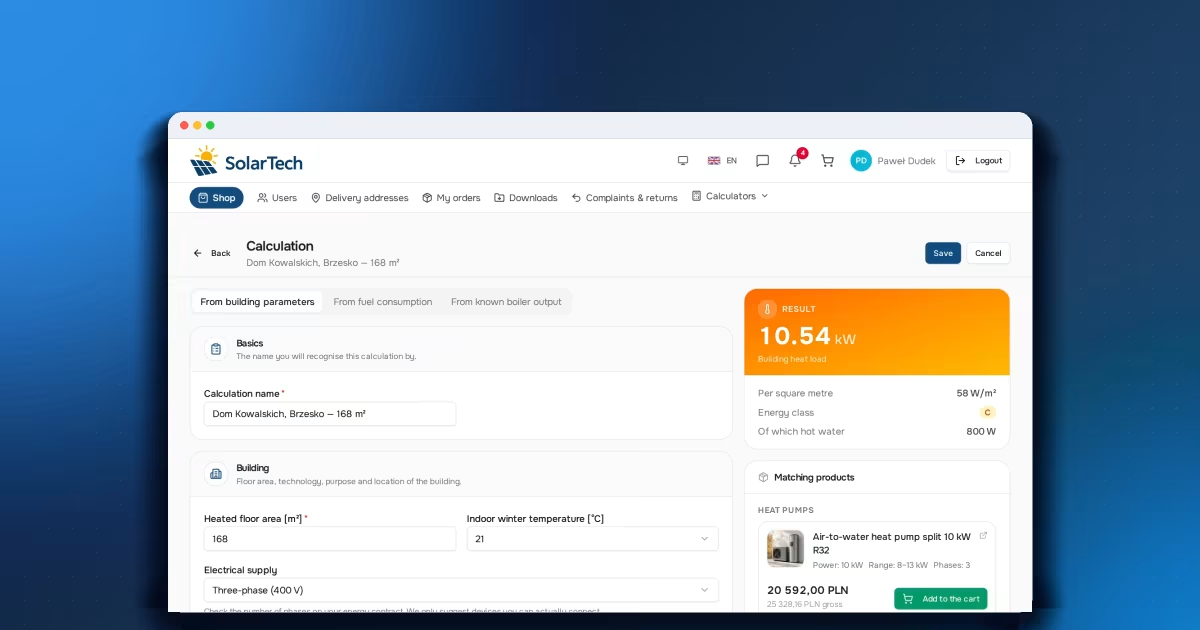
Building heat load calculator: where the number behind the quote comes from
Three input modes, a starting point and adjustments. How building parameters, fuel consumption or boiler output turn into a heat load figure.
Read articleStart selling B2B under your own brand.
Free FreeSpace account: add a product, invite a customer, take your first order. No card, no commitment.
Create a free accountHave a question? Write to us.