
Building heat load calculator: where the number behind the quote comes from
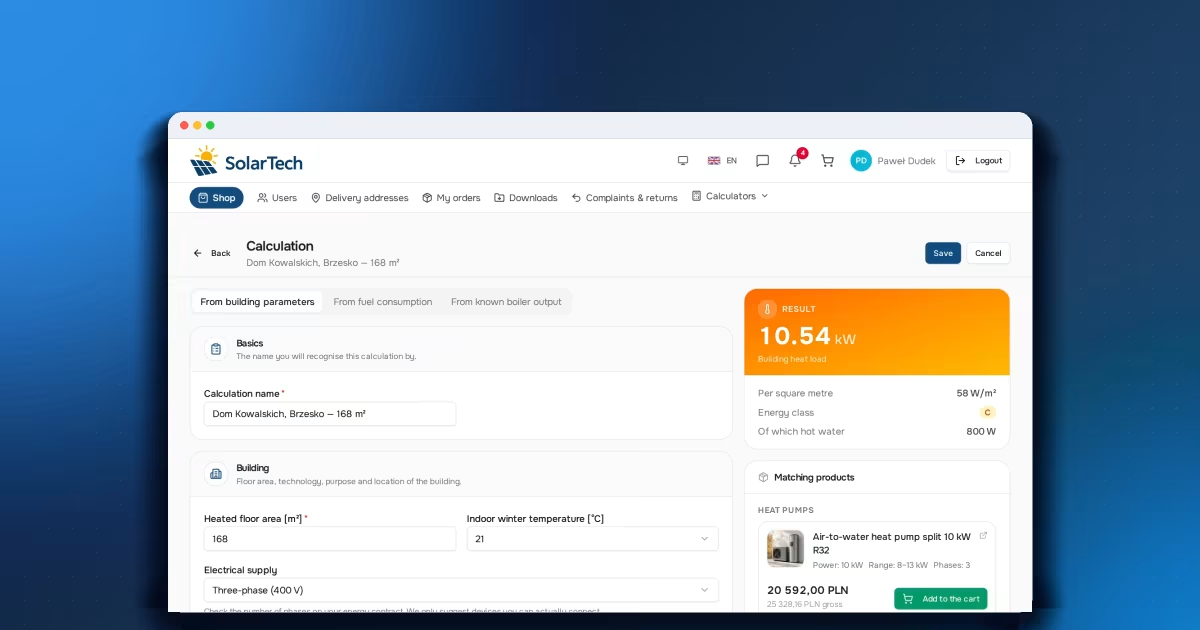
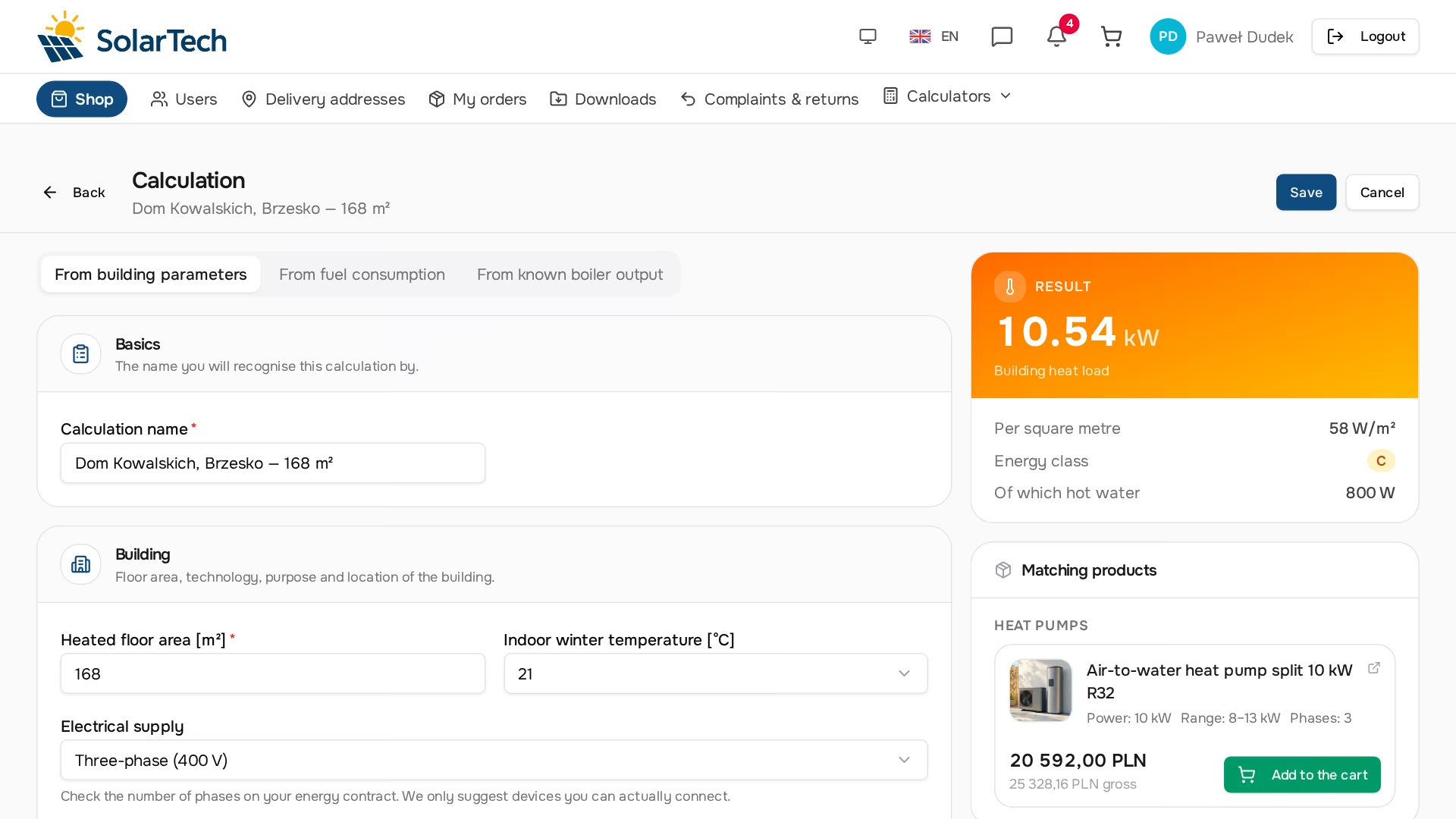
A house near Brzesko, 168 m², traditional masonry, 21°C inside, a family of four. The calculator answers: a heat load of 10.54 kW and energy class C. The whole conversation that follows rests on that single number — choosing the heat pump, the quote, the argument for the end customer and the decision whether it is worth going in at all without a thermal retrofit. The calculator gets there by three completely different input paths, and all of them have to end at the same place.
Why a heat pump sales rep calculates the building
A heat pump is one of the few goods you can't sell on a parameter from the datasheet. The customer doesn't ask about COP at A7/W35 — they ask whether the house can be heated. Sizing "by eye", based on floor area, ends one of two ways: a unit that is too small can't keep up in frost and comes back as a complaint; a unit that is too large short-cycles, uses more electricity and damages the reputation of the whole technology.
In practice someone does the math anyway — only most often it's the installer, in their own spreadsheet, with their own coefficients, and the wholesaler learns the result only in the form of an order. Moving that calculation into the store shifts the balance: the installer gets a tool they don't have to maintain, and the supplier gets a calculation that ends in a set of products from its catalog. We describe the same mechanism in more detail in the article on dedicated tools in B2B.
Three paths to the same number
The calculator has three input modes, because customers arrive with three different levels of knowledge about the building. In every case the result is of the same kind: power in kilowatts, an indicator per square metre and an energy class.
1. From building parameters
The most laborious and the most accurate mode. Everything that really determines heat loss goes in here: wall technology and construction, insulation and added insulation, the condition of the building envelope, the type of windows and doors, glazing geometry, the building type and location, the climate zone and the temperature kept in winter. The form has around forty fields here — and that is exactly why it sits on a separate screen, with a sticky result card on the right, recalculated live.
2. From fuel consumption
The customer doesn't know what their walls are made of, but they do know how many tonnes of coal they burn a year. That's enough, because fuel consumption in a known heat source can be converted into the power the building really needs. Fuel calorific values and heating appliance efficiencies are in global dictionaries — over a dozen source types, from old manually fed boilers to modern condensing ones. Efficiency is assigned to the source, not the fuel, because the same coal in two boilers gives two different useful outputs.
3. From known boiler output
The simplest case and, contrary to appearances, the most common one when replacing a heat source: the customer knows the output of the unit they are replacing, and it has heated this house for ten years. The calculator then mainly serves to add domestic hot water and indicate the energy class.
There are no calculations from design standards with envelope heat transfer coefficients here. This is not a designer's tool and it does not replace an energy audit. It is a sales tool meant to produce a number good enough to choose a unit and prepare a quote.
How the result is produced in detailed mode
The scheme has two stages: first a starting point describing the building's class, then adjustments for everything that sets this particular house apart from a typical representative of that class.
The starting point is not a single constant. A timber-frame building, uninsulated masonry and partly insulated masonry are three different worlds — and the spread within the "uninsulated" group alone is huge, because a thin brick wall loses many times more heat than a thick wall made of a well-insulating material. A single number can't describe something that spans such a range, so for uninsulated buildings the starting point is read from tables that depend on the wall material and thickness.
There are over a dozen adjustments, and each is saved as a separate component of the result, so years later you can reconstruct where a given quote came from. They cover the climate zone, the type of windows and doors, the number and size of glazed areas, roof and floor insulation, the total wall thickness, the type of building, wind exposure and the temperature the customer keeps in winter.
The mechanism also guards against double counting: if a given parameter is already part of the starting point, the corresponding adjustment is not applied. Otherwise the same wall would enter the result twice. The same goes for insulation layers — two layers don't add up as two separate adjustments, because the insulation effect isn't linear and two thin layers don't work like two thick ones.
We don't publish the specific weights, and that is deliberate: this is the part of the tool that neither the store's customer nor the company using it can see.
These parameters are sales arguments
The list of adjustments reads like a list of topics for a conversation with the end customer, and that is the best way to use it. Old single-glazed windows can mean the house needs a heat pump one size larger than the same house after the windows are replaced. The temperature kept in winter works the same way — a few degrees of difference shift the result enough to show up in the choice of unit. A terraced house is cheaper to heat than a detached house of the same floor area, because two of its walls border heated neighbours.
An installer who has this calculated in front of the customer doesn't have to persuade — they show two variants of the same building and the difference in the result. That is a conversation about an investment, not about the price of a unit.
The climate zone is a map, not a drop-down list
"Zone III" means nothing until you can see where its boundary runs. Poland is divided into five climate zones, and the difference between the extremes is large enough to translate into more than two kilowatts for a typical detached house. That's too much to choose blindly.
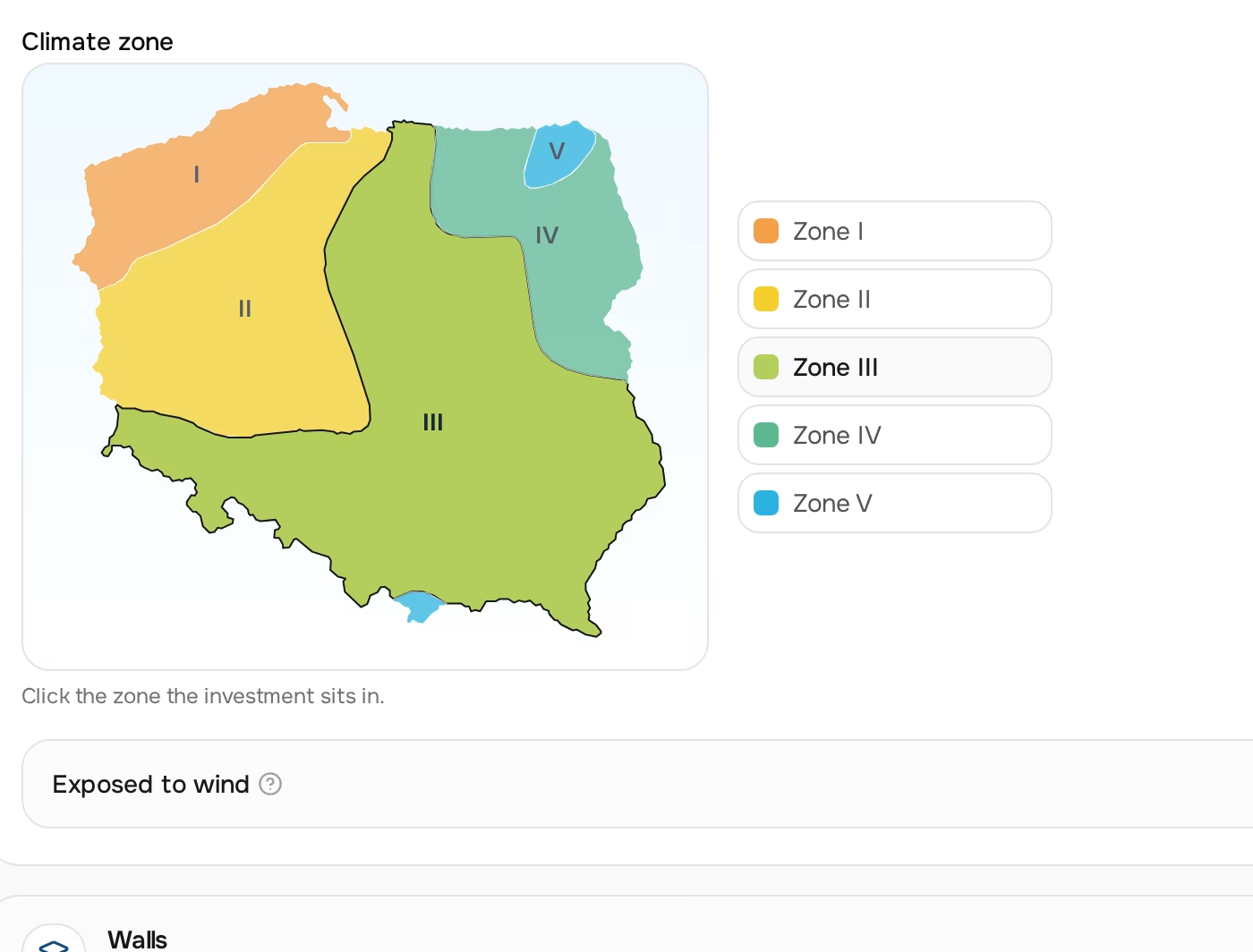
The map is a vector drawing, not an image: five zones as paths, the country outline derived from a reference map. A few details of that outline took separate work — the land mask is built so that the white lines between zones don't cut the country apart, and the Hel Peninsula and the Szczecin Lagoon don't disappear when the contour is simplified. That sounds like overkill for a form field, but a raster preview wouldn't scale, wouldn't respond to the cursor and would look bad in dark mode.
Hot water and the energy class
Domestic hot water is added at the end, regardless of the mode, and depends on the number of occupants — not on insulation or the zone. The result card shows its share separately, so you can see how much of the total goes on heating the building and how much on water.
The energy class is assigned based on the per-square-metre indicator and comes down to five thresholds, from a zero-energy building to one that needs a thermal retrofit. In a conversation with the end customer that single letter is sometimes worth more than the whole calculation, because it talks about the building, not the unit — and lets the installer show what insulation would achieve before anyone asks about the price of the heat pump.
Where the reference data comes from
Wall materials, insulation, fuel calorific values, boiler efficiencies, climate zones — this is data shared by the whole market. It doesn't belong to any company, so there's no point in each one maintaining its own copy. It lives in global dictionaries: 266 dictionary entries, 130 rows of the installation efficiency table and two starting-point tables, all in a single, centrally maintained set.
The division repeats across all three calculators: the company brings the catalog, we bring the physics. The company doesn't enter the calorific value of coal or insulation curves, just as it doesn't enter the hardware selection rules in the PV mounting calculator.
From kilowatts to a specific heat pump
A number on its own doesn't sell. So below the result card there are product tiles from the company's catalog — with this customer's price, stock level and an add-to-cart button.
Matching is not a comparison of "unit output ≥ demand"; it checks whether the result falls within the operating range entered on the specific product. The range depends on the operating point, the flow temperature and oversizing, so it is set by whoever knows the model; it can't be derived from a single datasheet parameter. The tile shows that range directly, next to the heating output and the number of phases, so the choice is an informed one.
The consequence of this approach is that a product without a range is not suggested at all. This applies, for example, to a hot-water-only heat pump, which is not a heat source for the building — its appearance on the list would be a mistake, not a courtesy.
What disappears from the list and what only drops lower
The distinction between "we don't show it" and "we show it at the end" is made deliberately here:
- Out of stock — the item disappears entirely. It simply can't be bought.
- Incompatible power supply — if the customer has given the number of phases, units with a different supply disappear. They can't be connected.
- Product with no number of phases specified — stays on the list, but after the compatible ones and with an "unspecified supply" badge. The badge describes missing data on the company's side, not the customer's uncertainty.
The "electrical connection" field also has a "don't know" value, which switches off both the filter and this sorting criterion — and the tiles show the number of phases anyway. The remaining order is decided by full quantity coverage, bestseller status and the price of the set.
Suggestions are fetched in a separate request, not together with the result preview. The preview is sent on every keystroke — if the catalog were priced on every letter typed into the calculation name, the calculator would turn into a database traffic generator. The product list refreshes only when the result or the declared number of phases changes.
What the calculator doesn't show
The breakdown of the result into its components is saved with every calculation, but neither the store's customer nor the company serving them can see it. The weights of individual parameters are the tool's know-how, and the gate sits on the API side — a "calculation details" section hidden only in the interface would leave the data in the server response, and so within reach of the browser console.
The customer gets the power, the indicator, the hot water share, the energy class and a list of matching units. That's everything they need to place an order — and at the same time it's not a manual for building a competing calculator.
How you know it calculates correctly
The calculator has a regression test with 51 cases, covering every starting-point branch, both simplified modes and all energy class thresholds.
The tests run on every change — both to the algorithm and to the dictionaries. The latter matters more here than you'd think: adjusting a single coefficient could shift the result in a branch nobody was thinking about at the time.
Frequently asked questions
Does this replace an energy audit or an installation design?
No. It is a sales tool meant to produce a number good enough to choose a unit and prepare a quote. It doesn't calculate the building envelope according to design standards and doesn't replace the documentation required in subsidy programmes.
Which mode should I choose when the customer knows both the parameters and the fuel consumption?
The building parameters mode is more accurate, because it takes the windows, zone and temperature into account. Fuel consumption, however, describes the actual situation together with the occupants' habits, so a discrepancy between the modes usually isn't an error — it is often the most interesting piece of information in the whole conversation and a good starting point for a question about a thermal retrofit.
Can I replace the coefficients with my own?
The dictionaries are shared by the whole market and maintained centrally — they are physical data, not company settings. The company does control what is truly its own: the catalog, prices, the matching ranges on products and which categories it tags as heat pumps.
Why do I get a heat pump with a lower rated output for a given result?
Because matching uses the operating range entered on that specific product, not a comparison of rated output with demand. A unit with a wide enough range will cover the building; the same result won't match a product whose range nobody has filled in.
Why do some products never appear in the suggestions?
For four reasons: out of stock, an incompatible number of phases, no matching range entered, or an inactive product. The first two are hard limits — the product can't be bought or connected. A product without phases specified doesn't disappear; it drops below the compatible ones, with the appropriate badge.
Does the store's customer see the same as my sales rep?
The same form, the same algorithm and the same result. What differs is the scope of data: the customer sees only their own calculations, the company sees the calculations of all its customers. Prices in both places are the customer's prices if the calculation is assigned to them.
Why is the form so long?
Because the building parameters mode has around forty fields, and they can't be meaningfully reduced without losing accuracy. That's why the screen is split: first the list of calculations, then the form with a sticky result card that recalculates live. The earlier layout put the list and the form together, and the result slipped below the form.
Will I see how the calculator arrived at the result?
No. The breakdown into components and the parameter weights are trimmed on the API side, so they aren't in the server response either. What you see is the result, the hot water share, the energy class and the list of matching units.
How much does it cost as a module?
Nothing beyond the plan. There is no separate fee for industry modules and no commission on sales; we switch the calculators on for renewable energy companies with a toggle on our side. Details are on the renewable energy industry page.
The third calculator answers the question on the other side of the same conversation: how much PV capacity does this house need? We describe it in the article on the PV system size calculator. Create a free account if you want to see all three on your own catalog.
Read also
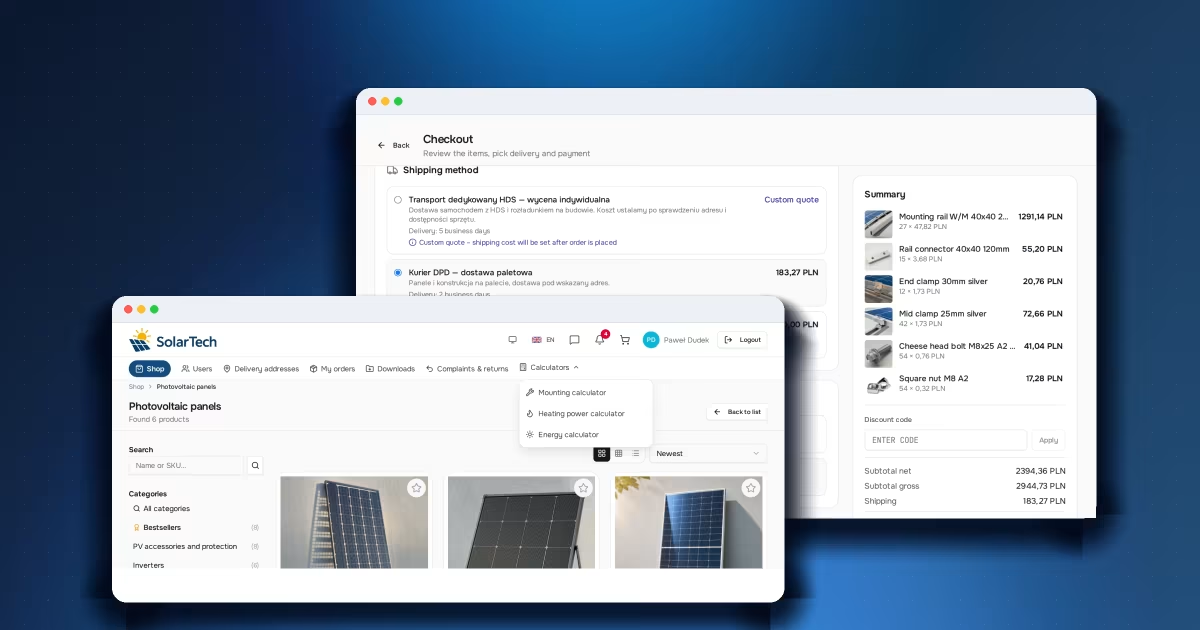
Dedicated tools in B2B: an edge a price list can't copy
Calculator, configurator, selection sheet. Why an industry tool in a B2B store wins the customer earlier than price does — and keeps them coming back.
Read article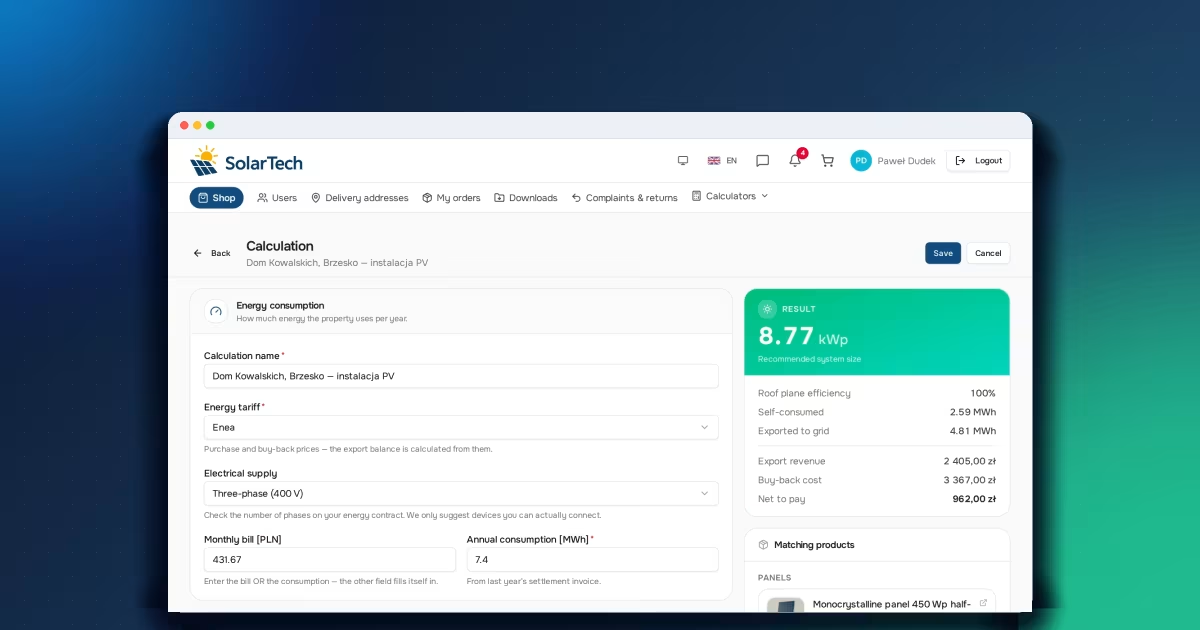
PV system size calculator: how an electricity bill becomes 8.77 kWp
The bill, roof efficiency, the balance of energy exported to the grid. Where a PV system's target size comes from and why it's higher than it seems.
Read article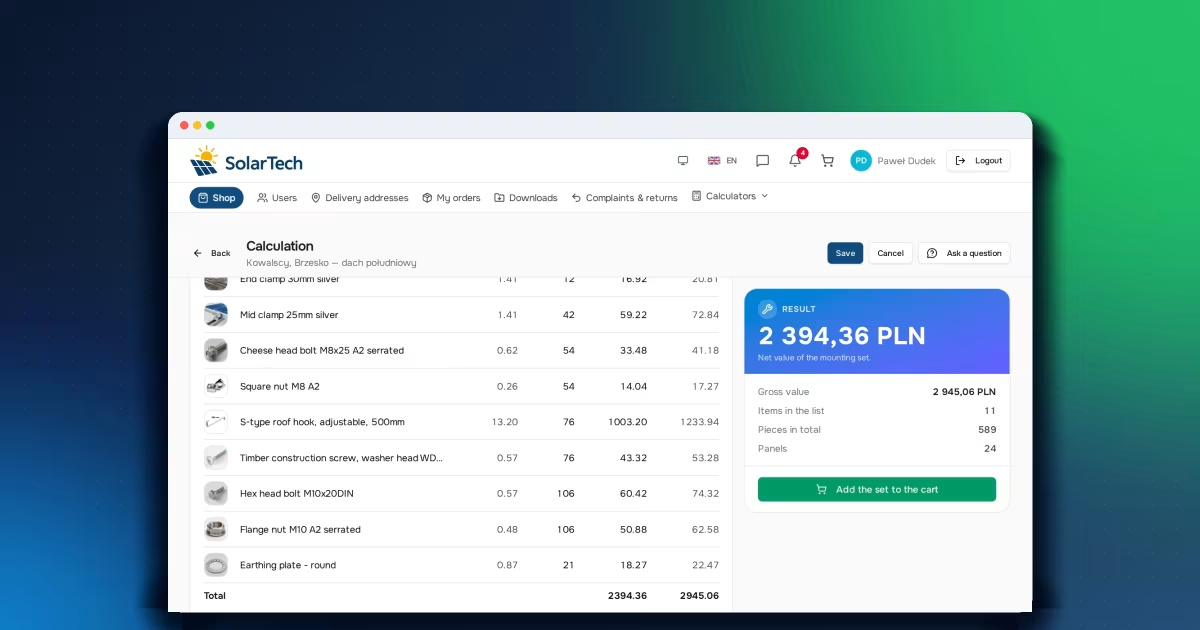
PV mounting calculator: how panel rows become a bill of materials
Clamps, rails, hooks and roof fixings. How panel rows and the roof covering turn into a complete, priced mounting kit and a ready-made cart.
Read articleStart selling B2B under your own brand.
Free FreeSpace account: add a product, invite a customer, take your first order. No card, no commitment.
Create a free accountHave a question? Write to us.